AF-001 / ManeFrame OS
A shared picture of the workday.
Schedules, crew assignments, trucking records, equipment locations, and repairs brought together for a concrete forming operation.
I built this as part of my job at Watren Concrete Forming.
See how it worksThe connected workflow
- Plan the day
- Locate equipment
- Handle repairs
- Review hauling
Three questions that shape the day
What is happening today? Where is the equipment? What needs attention?
On a construction job, the answer might sit with a crew, the office, or the shop. I built ManeFrame OS to give those details a shared home.
What I built
I brought those records together in an internal AppSheet app. Schedules connect work to crews and jobs. The trucking workspace brings haul records and ticket review together. Equipment records hold current locations, with moves tracked separately. Repair records connect an issue and its urgency to a specific machine.
The idea is simple: make the day’s work easier to look up and follow.
From today’s work to the next action
These are real app screens from September 25, 2026. Private details are cropped out or permanently redacted.
- 01
What is happening today?
The daily schedule groups work by job, with crew assignments, project references, and start and end times alongside each activity. The office can look up the planned work and its assigned crew in the same view.
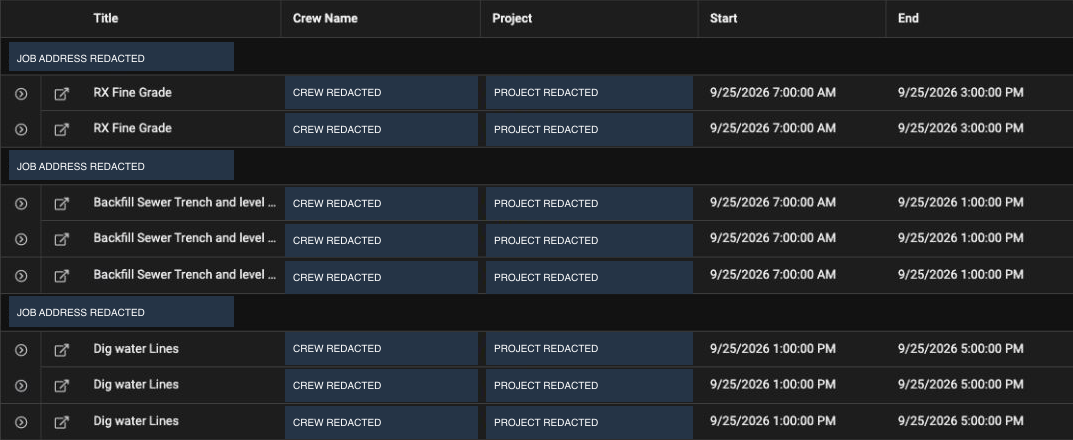
The day’s work, grouped by job. Captured after the day’s job-matching review; crew names, project names, and job addresses are permanently redacted. This is a cropped portion of the schedule. View full size ↗ - 02
Where is the equipment?
Equipment cards are grouped by location, with the machine, equipment type, and status visible together. Behind that view, a movement log records the equipment, origin, destination, time, and supporting photo.
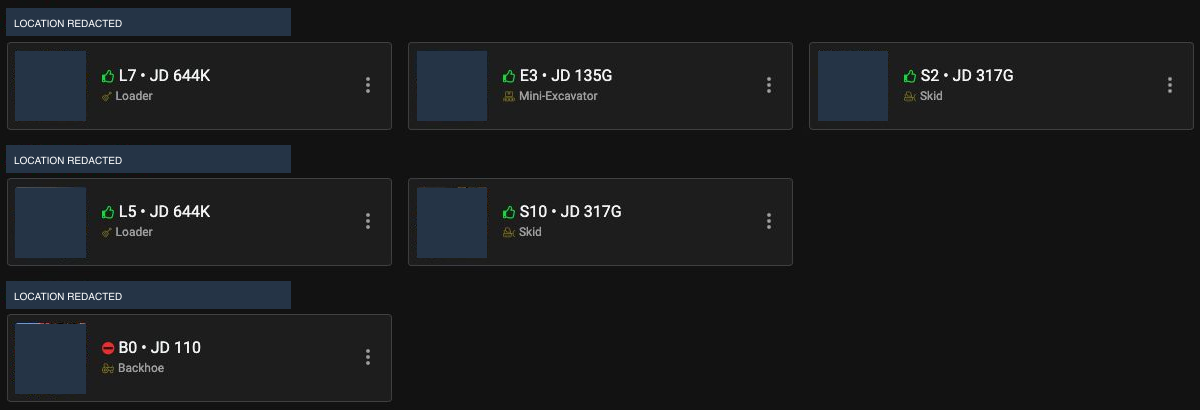
Find equipment by its recorded location. Location names and equipment photos are permanently redacted. View full size ↗ - 03
What needs attention?
Open repairs are grouped by urgency and attached to the affected machine. Each repair has room for an assignment, updates, and a completion date. Equipment records also keep track of service dates and intervals.
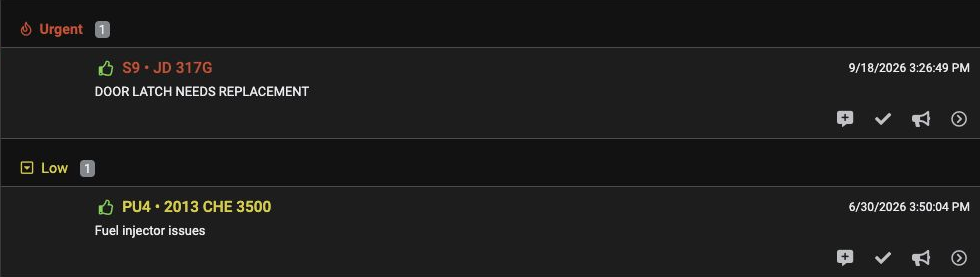
The field-repair view separates urgency from the issue itself. Shown here: the selected Field view on September 25, 2026. View full size ↗ - 04
How does hauling reach the office?
The trucking workspace brings together submitted vendor tickets, imported Connecteam haul records, a ticket-review queue, and the trucking log. The office can inspect the recorded arrival and departure times, load count, material, and loading and drop locations.
The office can find the haul details and the tickets that need review in the same app.
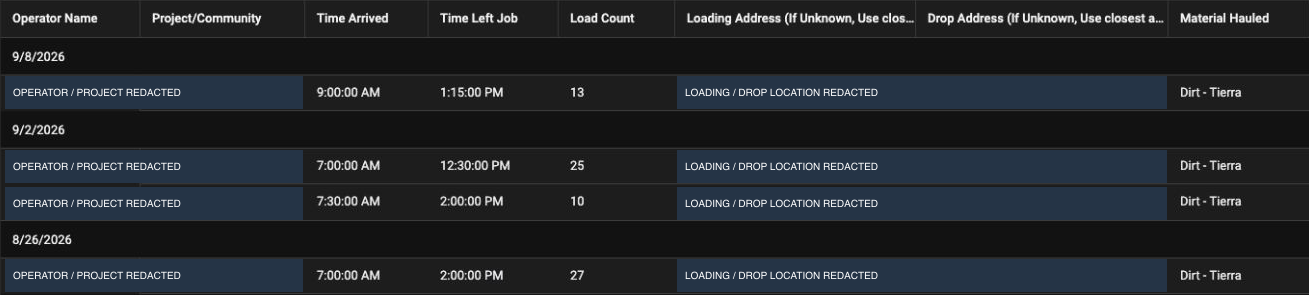
What was recorded for the haul? Actual imported records dated August 26, September 2, and September 8, 2026, viewed September 25. Load counts belong to the individual records shown. Operator names, projects, and locations are permanently redacted. View full size ↗
Information the office can look up
A crew assignment, a machine’s recorded location, an open repair, or the details of a haul: these are things the office can look up in ManeFrame OS. That’s what I wanted to make easier to follow.
The focus is everyday visibility: connecting the records people need to plan, coordinate, and follow up.
My part
I designed the workflows, worked out what information needed to connect, and built the system around Watren’s operation.
I built this in my role as a Watren employee.
How it’s built Tools and my contribution
AppSheet provides the application interface over related Google Sheets tables for schedules, equipment, moves, and repairs. Shared identifiers connect the records. The source includes Connecteam export and summary tables, and the trucking interface displays imported Connecteam haul records alongside ticket review.
AppSheet supplies the standard screens and Google Sheets stores the data. My work is in how those pieces fit the day-to-day operation.
Have something like this in mind?
Where does information get lost in your business?
Tell me what you keep chasing down, entering twice, or stopping work to sort out.
Let’s talk